



分享好玩的!
https://www.acwifi.net/
路由器分析的,以后买路由器可以看这个
路由器分析的,以后买路由器可以看这个
gaza.run
免费看电影,比较好。网站没有广告
免费看电影,比较好。网站没有广告
网友发现 wps 卸载界面可以领一 个 月体验权益包(除了 容量小点,其他等同于超级会员)。活动有 效期未知,先撸为 敬。
复制下方,通过WPS客户端首页搜索框,选择“粘贴并转到”,访问即可领取一 个 月会员权益。(操作步骤参照上图片)
http://personal-act.wps.cn/application/spa/wpsuninstall30dayvip
微软宣布,Bing Image Creator 现已免费接入 OpenAI 最新的 GPT-4o 图像生成模型。此外,Bing Image Creator 将同时保留 DALL-E 3 模型,用户可自由切换。免费用户每日享有 15 次快速生成额度,用尽后每次需消耗 10 个微软积分,但可无限次以标准速度生成。GPT-4o 模型可通过 bing.com/create、Bing 移动应用、Copilot 搜索、Bing 搜索框或 Edge 地址栏使用。拥有 ChatGPT 免费或订阅账户的用户也可免费访问该模型。
NeoWin
🍀频道 🍵茶馆 📮投稿
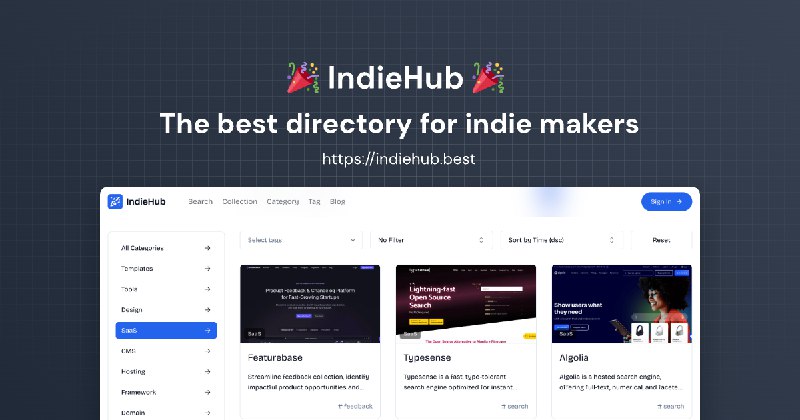
👨💻 分享一个UI组件库 21st
这个就厉害了,它就像是各个UI组件库的大杂烩!
它不仅根据组件的类型进行整理,汇集了诸多UI组件库中的优秀组件,例如magic ui中的rainbow button,它还整理了很多落地页的常用组件。
更厉害的是,直接shadcn add就可以复制到你的项目中!
https://indiehub.best/
这个就厉害了,它就像是各个UI组件库的大杂烩!
它不仅根据组件的类型进行整理,汇集了诸多UI组件库中的优秀组件,例如magic ui中的rainbow button,它还整理了很多落地页的常用组件。
更厉害的是,直接shadcn add就可以复制到你的项目中!
https://indiehub.best/
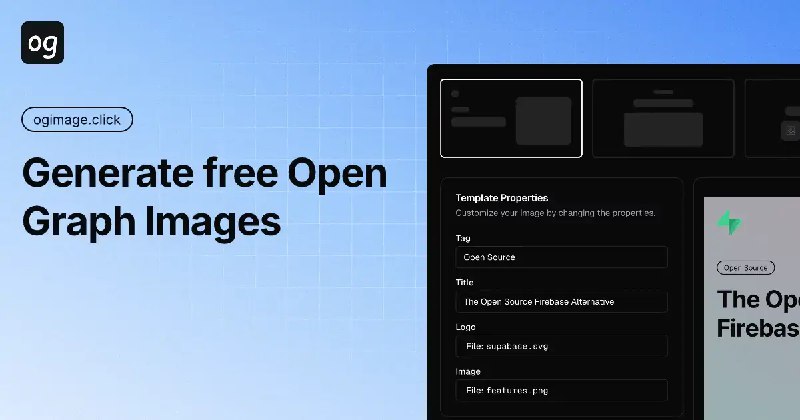
#在线工具 #设计
🖼 ogImage.click - 一款在线设计 OG image 的工具
🐙 开源页面
ogImage.click 可以在线设计高质量 OG 图、X、博客链接预览图,内置多种专业模板,支持自定义背景、图案、渐变色等
❓ OG Image 就是这条推送中显示的的链接预览图
📮投稿 📢频道 💬群聊🔎 索引
ogImage.click 可以在线设计高质量 OG 图、X、博客链接预览图,内置多种专业模板,支持自定义背景、图案、渐变色等
📮投稿 📢频道 💬群聊
导航站模板
AI导航站模板:https://mp.weixin.qq.com/s/rO8RBko5ZnOmeNohp-sneQ
工具站模板
https://github.com/weijunext/smart-excel-ai
https://github.com/all-in-aigc/aiwallpaper
https://github.com/all-in-aigc/aicover
https://github.com/soraWebui/SoraWebui
https://github.com/speedpoint0/TailwindCSS-Template-Breeze
Saas 的nextjs快速建站模板
https://github.com/saasfly/saasfly
https://github.com/ixartz/Next-js-Boilerplate
https://github.com/vercel/commerce
UI 素材库
https://github.com/ddahan/ui-libs
https://github.com/aidevtoolkit/uilibhub
AI导航站模板:https://mp.weixin.qq.com/s/rO8RBko5ZnOmeNohp-sneQ
工具站模板
https://github.com/weijunext/smart-excel-ai
https://github.com/all-in-aigc/aiwallpaper
https://github.com/all-in-aigc/aicover
https://github.com/soraWebui/SoraWebui
https://github.com/speedpoint0/TailwindCSS-Template-Breeze
Saas 的nextjs快速建站模板
https://github.com/saasfly/saasfly
https://github.com/ixartz/Next-js-Boilerplate
https://github.com/vercel/commerce
UI 素材库
https://github.com/ddahan/ui-libs
https://github.com/aidevtoolkit/uilibhub
图标制作,ICON 制作,SVG 资源
免费商用 SVG 图标:
https://www.svgrepo.com/
https://iconfinder.com/
https://icon-sets.iconify.design/
https://icones.js.org/
https://heroicons.com/
https://lucide.dev/guide/
https://github.com/unplugin/unplugin-icons
https://www.overflow.design/ni.html
生成 SVG:
https://claude.ai/
https://labs.google/gentype/
https://ideogram.ai/
https://app.brandmark.io/v3/
https://logofa.st/
https://www.logo.surf/
https://www.shopify.com/tools/logo-maker
SVG 格式资源:
手绘风格: https://github.com/Bowen7/react-rough-fiber
手绘风格: https://handcrafts.undraw.co/app
矢量风格: https://undraw.co/search
背景: https://app.haikei.app/
Patterns: https://heropatterns.com/
Favicon:
获取: https://favicon.im/
转换: https://realfavicongenerator.net/
转换: https://favicon.io/
图标格式转换和编辑:
https://vectorizer.ai/
https://png2svg.com/
https://svgco.de/
https://ClipDrop.co/cleanup
品牌 LOGO:
https://github.com/pheralb/svgl
https://www.figma.com/community/file/1246098308176329289/editable-logo-pack-svg-brix-agency
https://brandfetch.com/
免费商用 SVG 图标:
https://www.svgrepo.com/
https://iconfinder.com/
https://icon-sets.iconify.design/
https://icones.js.org/
https://heroicons.com/
https://lucide.dev/guide/
https://github.com/unplugin/unplugin-icons
https://www.overflow.design/ni.html
生成 SVG:
https://claude.ai/
https://labs.google/gentype/
https://ideogram.ai/
https://app.brandmark.io/v3/
https://logofa.st/
https://www.logo.surf/
https://www.shopify.com/tools/logo-maker
SVG 格式资源:
手绘风格: https://github.com/Bowen7/react-rough-fiber
手绘风格: https://handcrafts.undraw.co/app
矢量风格: https://undraw.co/search
背景: https://app.haikei.app/
Patterns: https://heropatterns.com/
Favicon:
获取: https://favicon.im/
转换: https://realfavicongenerator.net/
转换: https://favicon.io/
图标格式转换和编辑:
https://vectorizer.ai/
https://png2svg.com/
https://svgco.de/
https://ClipDrop.co/cleanup
品牌 LOGO:
https://github.com/pheralb/svgl
https://www.figma.com/community/file/1246098308176329289/editable-logo-pack-svg-brix-agency
https://brandfetch.com/

学生证生成:https://edu.chatgpt.org.uk/
1. 使用指纹浏览器和代理:
- 使用指纹浏览器。
- 开启IP定位。
- 最好使用美区住宅代理(如果没有,可以使用数据流量,但不要用Wi-Fi)。
2. 设备要求:
- 建议使用iOS设备。
3. 学生证内容:
- 学生证上需要包含以下信息:
- 学校名称
- 学生姓名
- Distance Learning(远程学习)
- 确保拍照清晰,照片能被OCR(光学字符识别)准确读取这些信息。
4. 提交技巧:
- 如果没有立即通过("秒绿"),而是进入了"pending"(待审核状态),可以等待几天后再次提交。
- GitHub Student申请的审核有时会有风控期,某些时间段较难通过,其他时间段则较容易通过,比如当前("Now")可能较容易通过。
5. 使用手机作为摄像头:
- 如果需要使用手机拍照,可以利用手机作为摄像头上传学生证照片。
备注: 确保照片清晰,尤其是学校名称、学生姓名和"Distance Learning"这些关键信息。
1. 使用指纹浏览器和代理:
- 使用指纹浏览器。
- 开启IP定位。
- 最好使用美区住宅代理(如果没有,可以使用数据流量,但不要用Wi-Fi)。
2. 设备要求:
- 建议使用iOS设备。
3. 学生证内容:
- 学生证上需要包含以下信息:
- 学校名称
- 学生姓名
- Distance Learning(远程学习)
- 确保拍照清晰,照片能被OCR(光学字符识别)准确读取这些信息。
4. 提交技巧:
- 如果没有立即通过("秒绿"),而是进入了"pending"(待审核状态),可以等待几天后再次提交。
- GitHub Student申请的审核有时会有风控期,某些时间段较难通过,其他时间段则较容易通过,比如当前("Now")可能较容易通过。
5. 使用手机作为摄像头:
- 如果需要使用手机拍照,可以利用手机作为摄像头上传学生证照片。
备注: 确保照片清晰,尤其是学校名称、学生姓名和"Distance Learning"这些关键信息。
